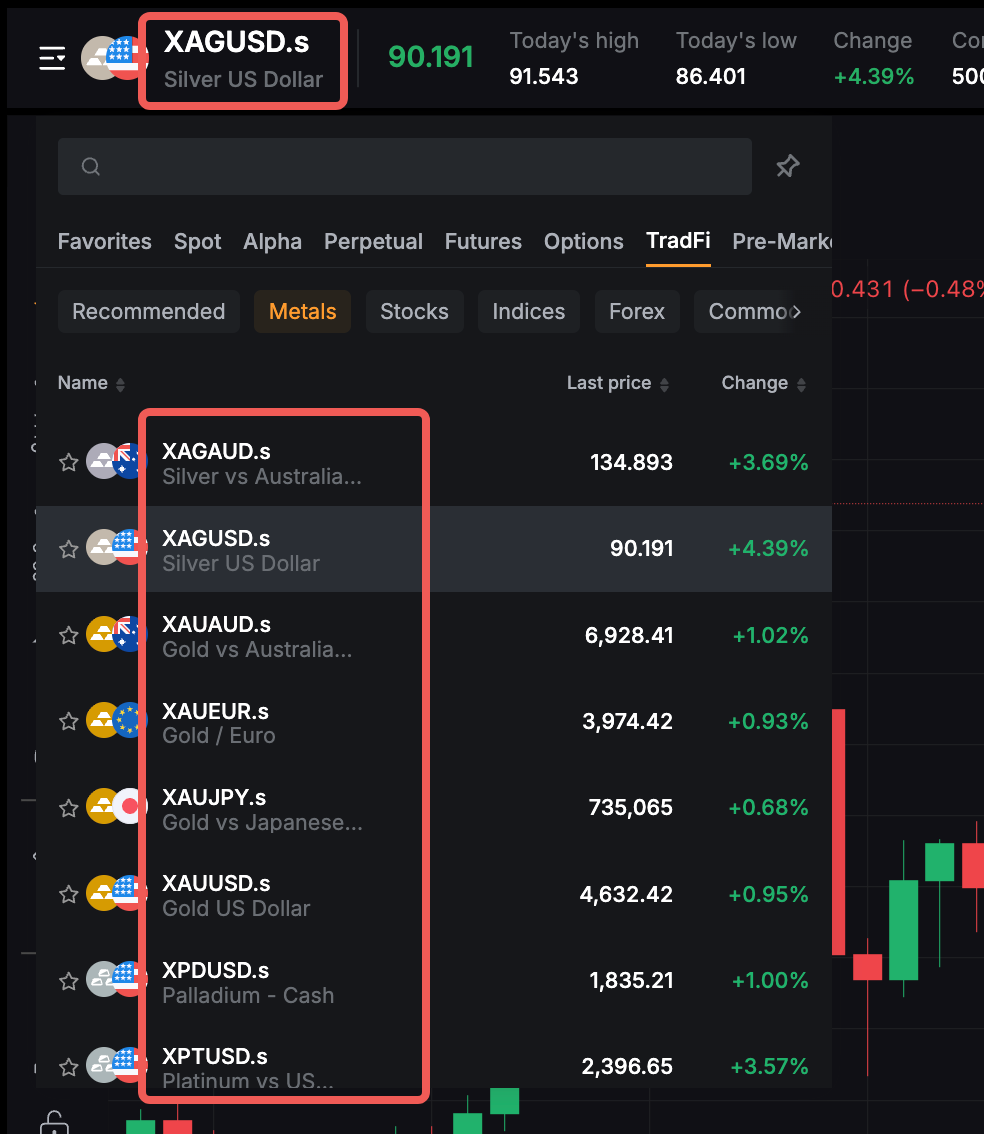
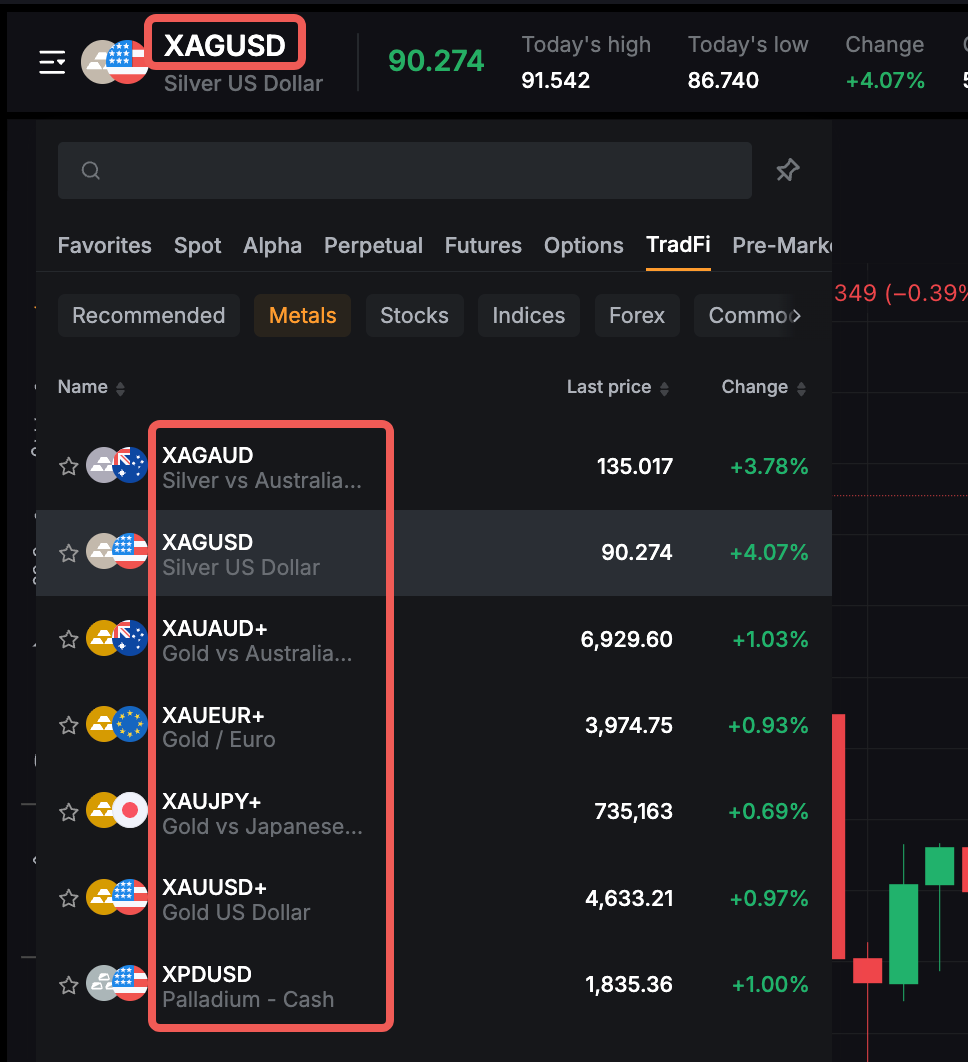
Bybit offers two trading account mode settings for TradFi, with each designed to support different trading styles, experience levels, and cost preferences. These TradFi account modes are as follows:
- Zero-Fee Mode — designed using the Straight Through Processing (STP) transaction model.
- Tight-Spread Mode — designed using the Electronic Communication Network (ECN) transaction model.
This article provides a clear overview of the key differences between the two account types, the upgrade process, and guidance on choosing the account that best fits your trading needs.
Account Eligibility & How to Switch Modes
Pricing Structures
Understanding the Spread
Product Naming (Symbol Suffixes)
Account Eligibility & How to Switch Modes
Account Eligibility
By default, the user’s TradFi trading interface is set to Zero-Fee mode, whereas the Tight-Spread mode can only be enabled by meeting specific requirements. Users can determine the current account mode for their TradFi account by checking the Account Mode section under the Account Details.
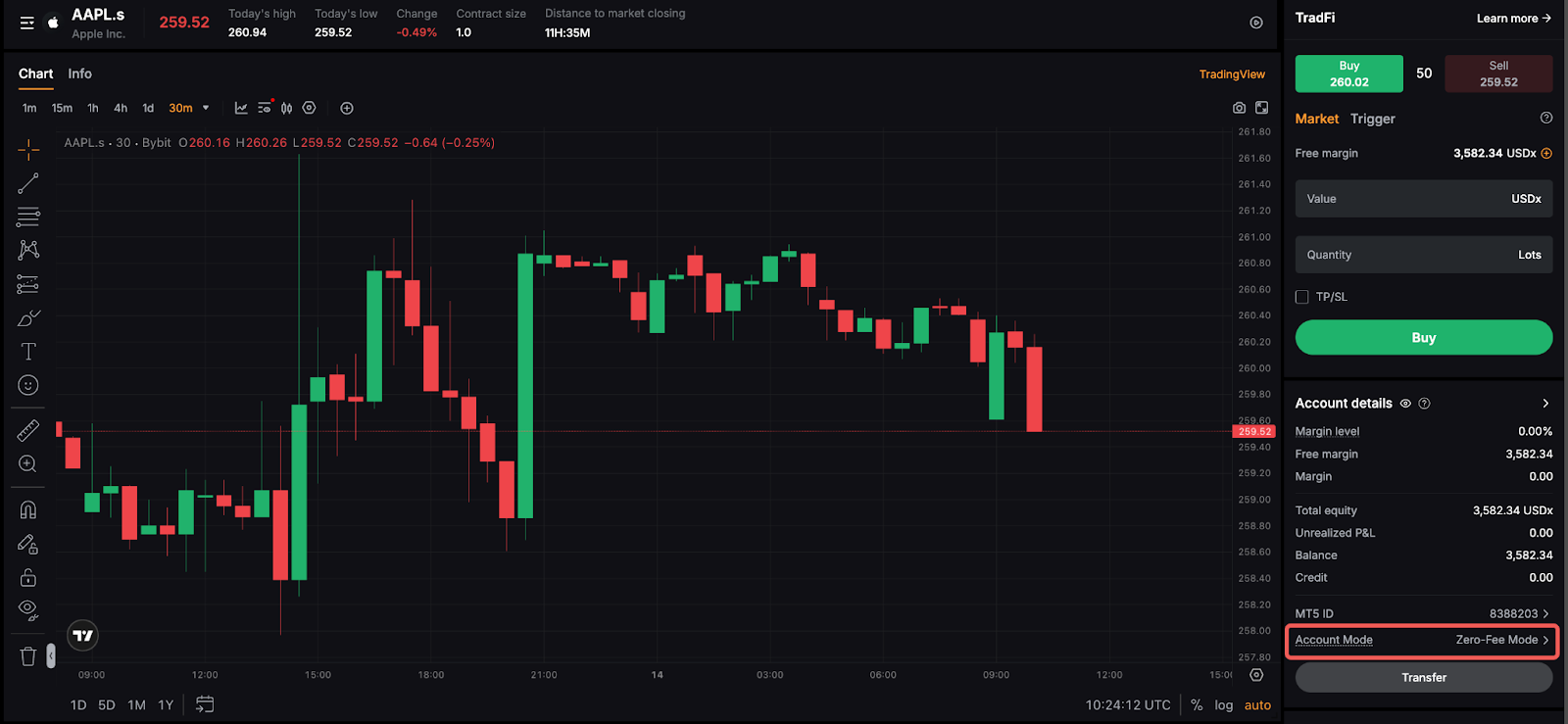
The table below highlights the fundamental differences between the two modes, and the type of users each mode is best suited for:
To be eligible for the switch to the Tight-Spread mode, users must meet the following conditions:
- Have a minimum deposit of USD 3,000.
- No active orders and open positions (or meet the system’s switching conditions)
How to switch modes
Once you have met all the requirements, follow the step-by-step guide below to adjust your account mode settings in TradFi:
Step 1: On the TradFi trading page, navigate to the Account Mode section, and click on the arrow next to your current account mode.
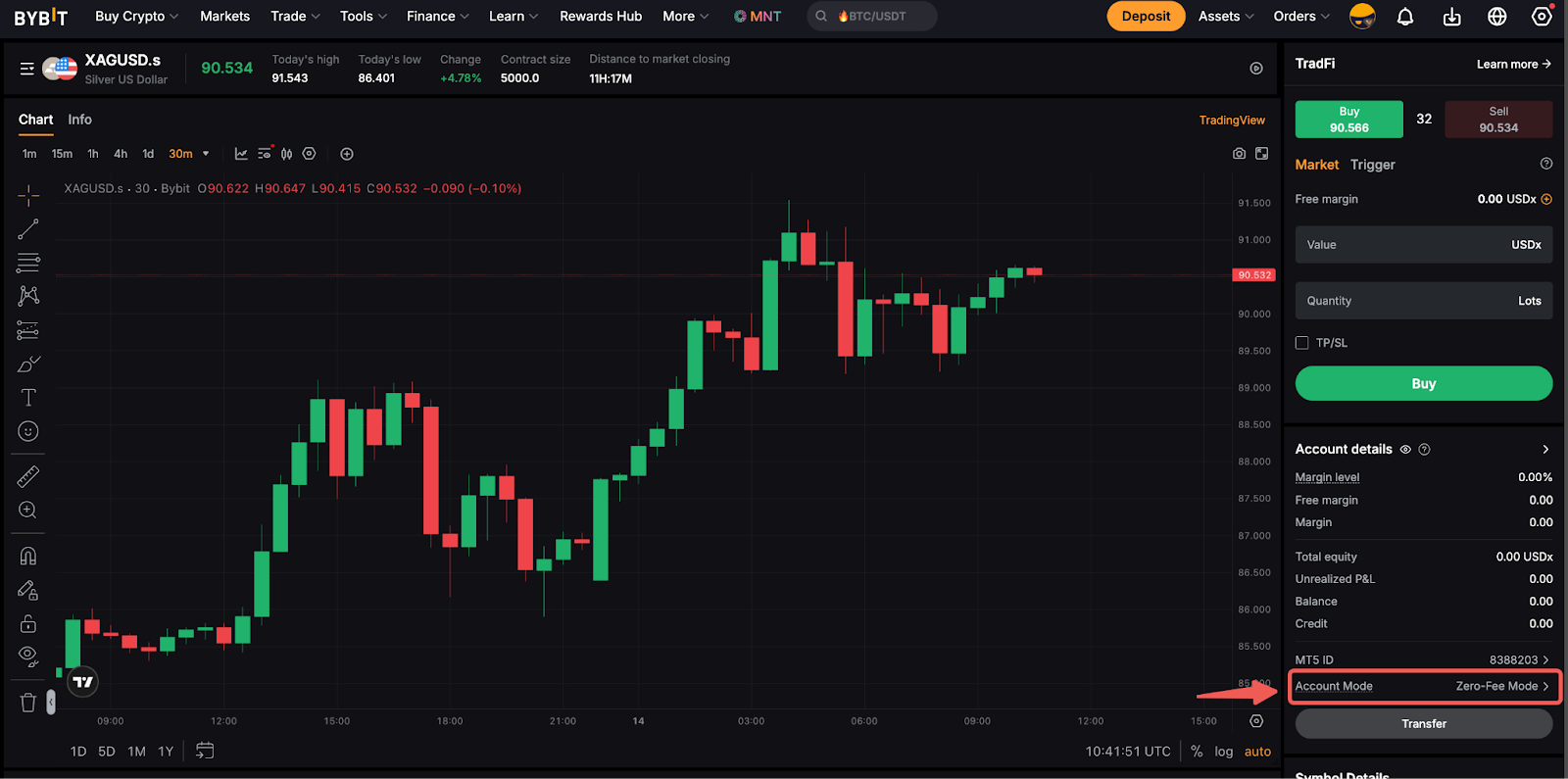
Step 2: This will prompt the Account Mode Settings window. Your current mode will be highlighted accordingly.
Read all the mode details carefully and click on the Switch Mode button.
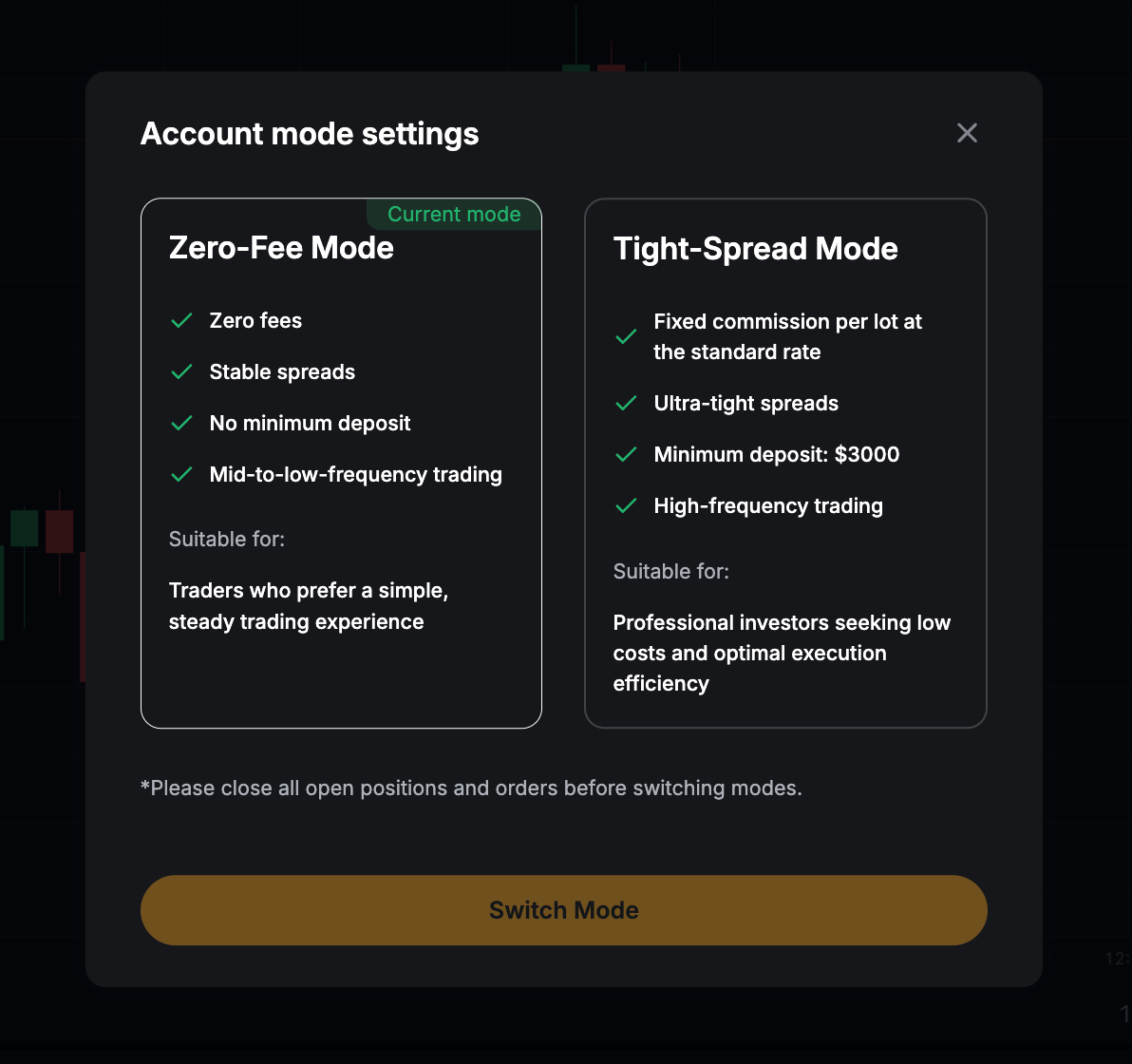
Notes:
- The minimum deposit requirement will only be applicable prior to the upgrade. Upon successfully switching, the amount will be counted towards your accumulated deposit, and you are free to change between modes thereafter.
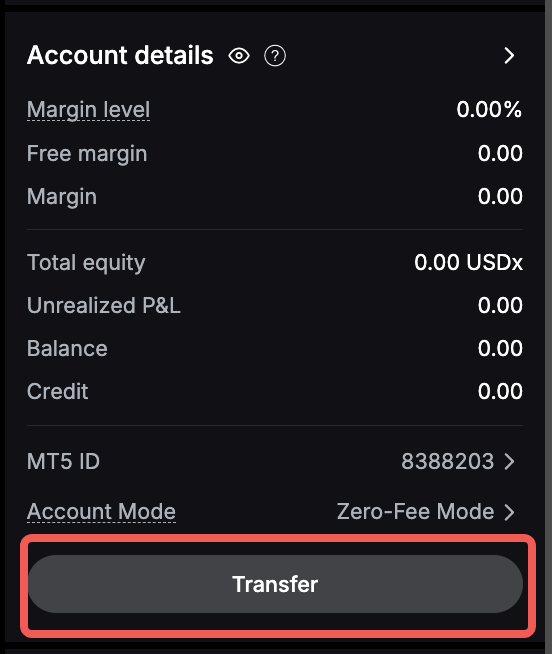
- If you have failed to meet the deposit requirement, click on the Transfer button under Account Details and perform the necessary transfer to your TradFi account.
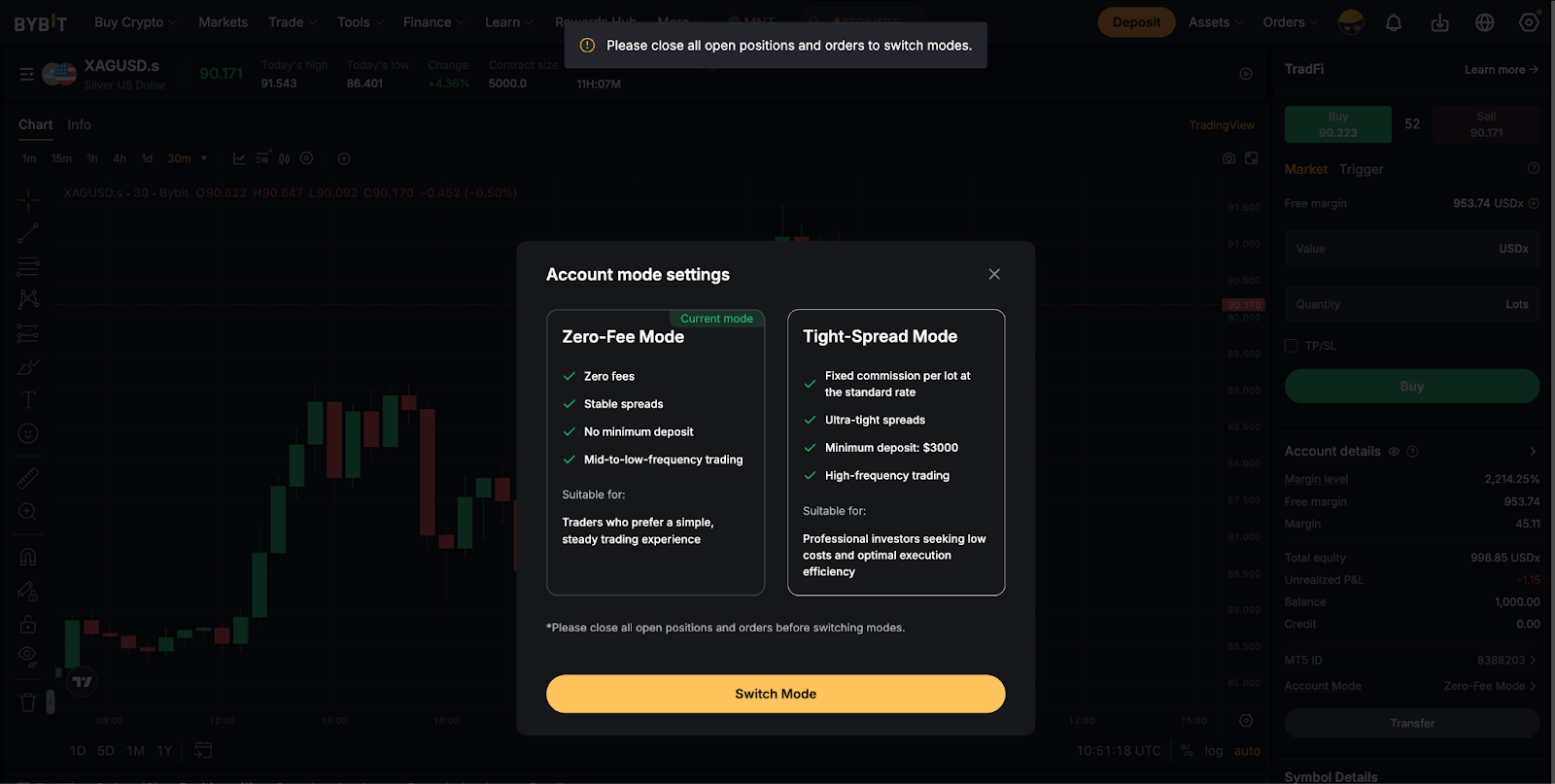
- Please ensure that you have no active orders and open positions before switching modes.
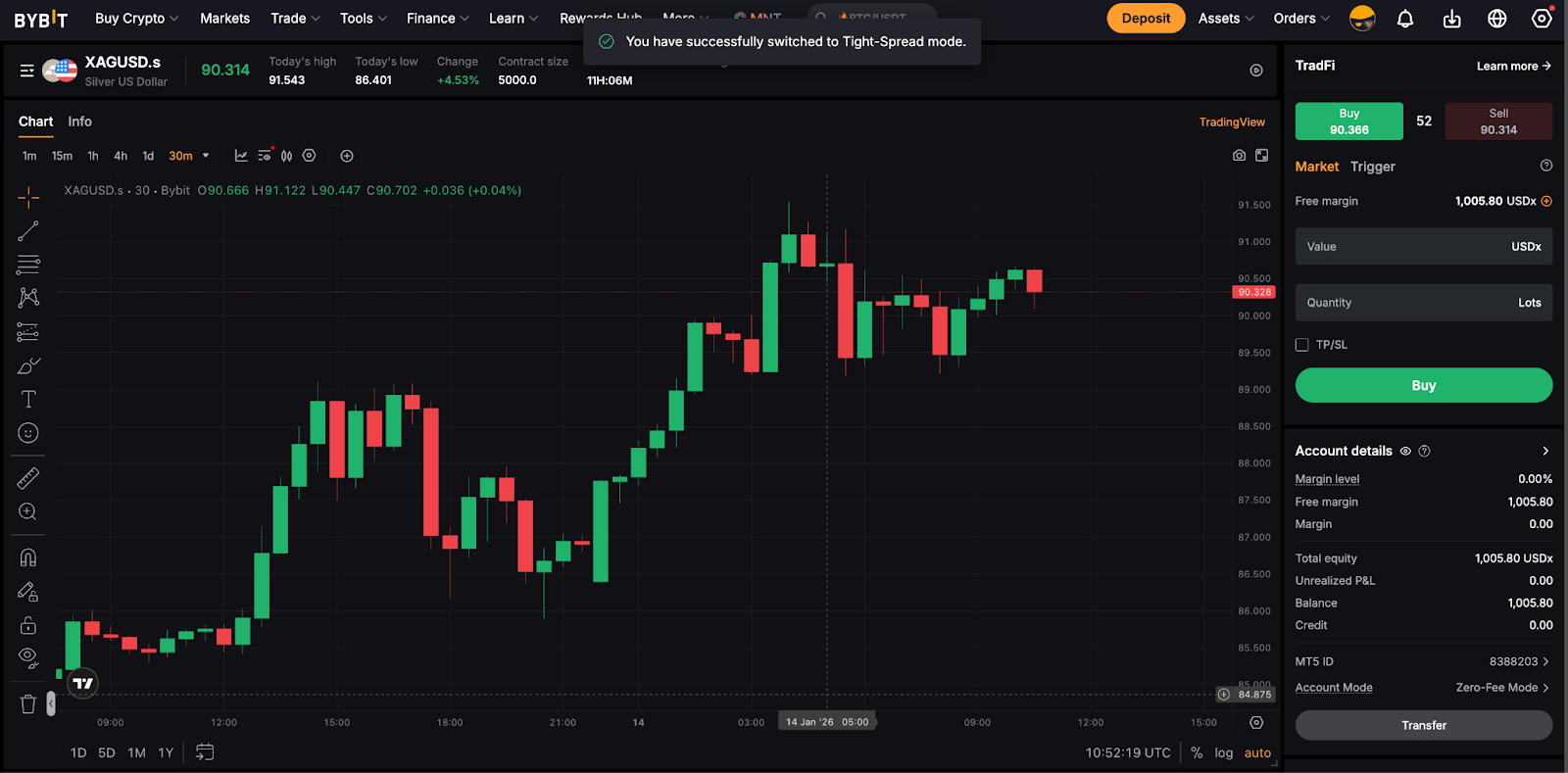
Step 3: Click on either one of the modes to proceed. You have successfully switched your TradFi account mode!
Approval is instant, and assets will not be affected during the upgrade.
Pricing Structures
Bybit’s pricing model aligns with global FX industry standards. The key difference between Zero-Fee and Tight-Spread modes lies in how trading fees are presented, as shown in the table below:
In summary, Tight-Spread mode offers traders raw spreads with a fixed commission per trade, whereas Zero-Fee mode is designed for all-inclusive spreads with no additional commissions charged.
Understanding the Spread
Below are how the trading interfaces for both modes will be displayed:
For Zero-Fee Mode
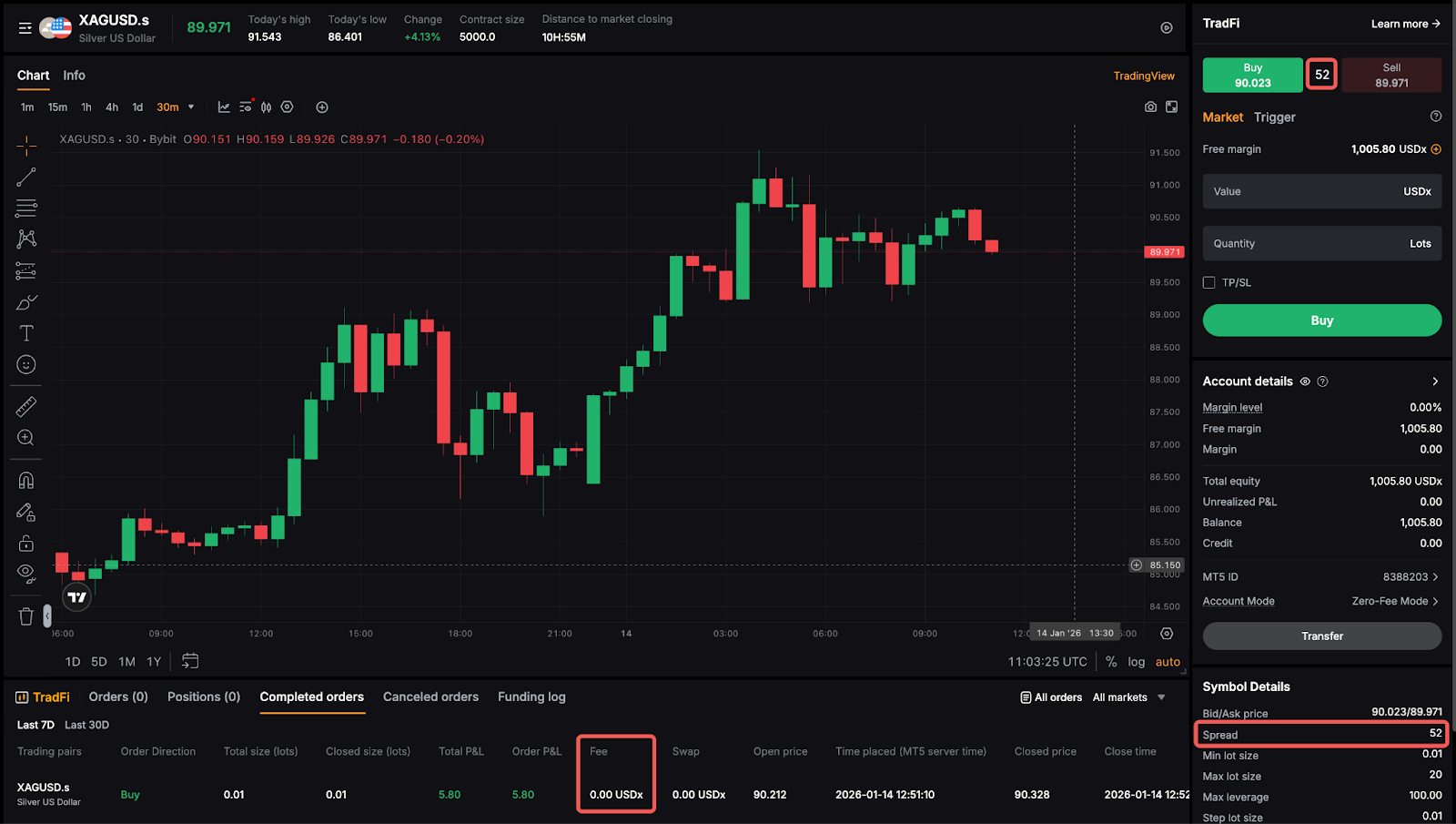
The spread shown in the trading interface already includes the trading fees. No additional commission is applied.
For Tight-Spread Mode
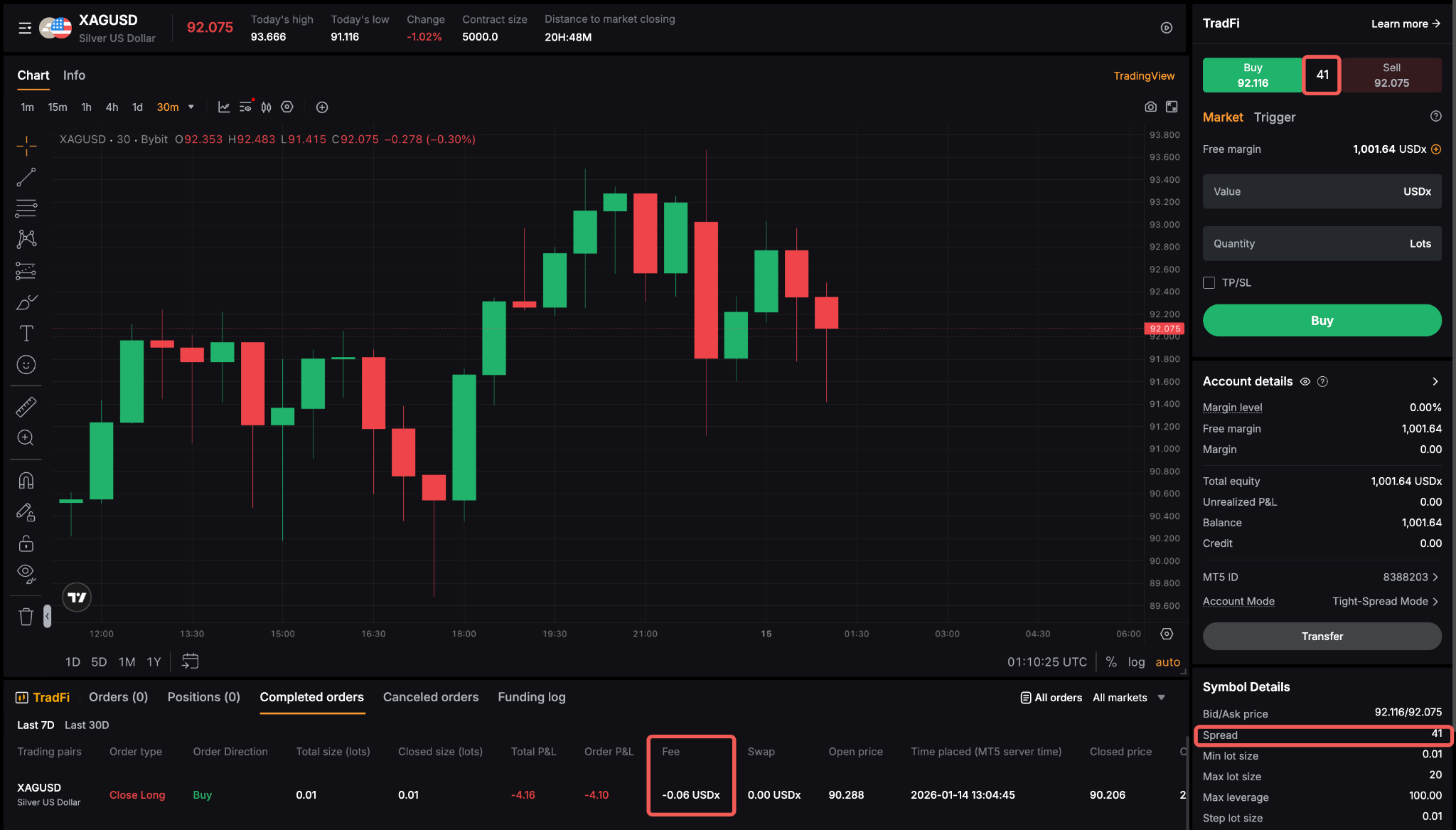
You will see the raw, tighter spread sourced directly from liquidity providers.
- A fixed commission is added per trade.
- This structure is ideal for active or high-frequency traders who benefit from narrower spreads and overall faster execution.
Product Naming (Symbol Suffixes)
To help users easily distinguish between account types, trading pairs under the Zero-Fee mode will include a unified suffix, such as EURUSD.s, XAUUSD.s, etc.
This naming convention applies across Forex, Metals, Oil, Indices, and US Stocks, ensuring simple, consistent, and transparent differentiation between the instruments under both modes.